Potential Energy Surface Plot
Potential Energy Surface (PES) plot is important in reaction mechanism research, and our GVasp certainly support to plot PES with various data.
simple case
A very simple reaction data like this (noted they are all relative energy):
data = [0, -0.09, 0.75, 0.06, 0.26, -2.46, -1.02, -1.58]
We can plot it by run the command like before:
gvasp plot PES -j plot.json --save
And the figure like this:

The plot.json is like this:
{
 "data": [[0, -0.09, 0.75, 0.06, 0.26, -2.46, -1.02, -1.58]]
}
Note
data parament is a set of lines, so even if you have only one line, its type should be List[List[float]].
change style
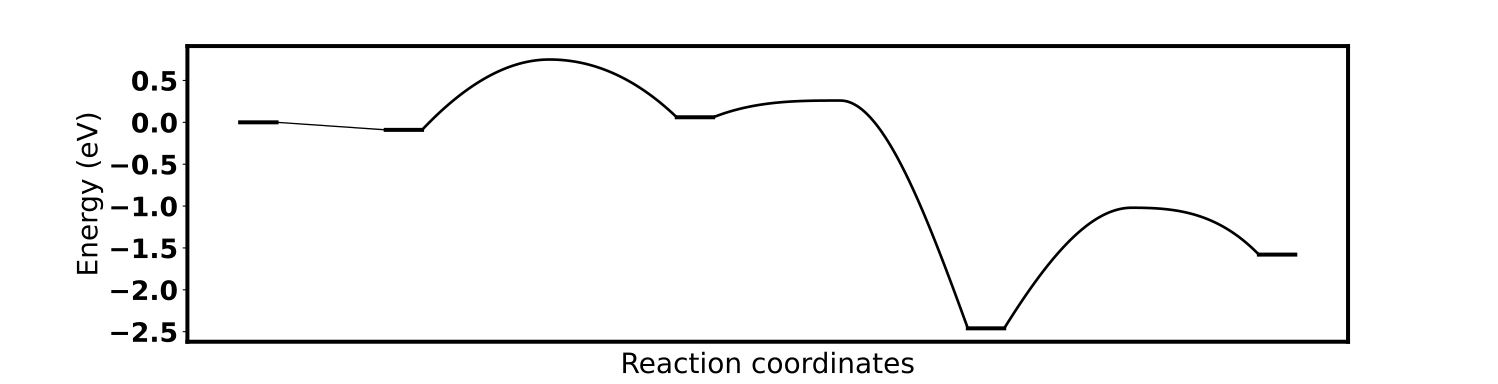
By add a style="solid_curve", the figure can be changed like this:
{
  "data": [[[0, -0.09, 0.75, 0.06, 0.26, -2.46, -1.02, -1.58],["MS", "MS", "TS", "MS", "TS", "MS", "TS", "MS"]]],
  "style": "solid_curve"
}
Attention
For the “solid_curve” style, one need to specify the data belonging to a intermediate state (MS) of transition state (TS), so data parament’ type now be List[List[List[float], List[str]]].
None value
If your data have None, the GVasp can work well.
for example,
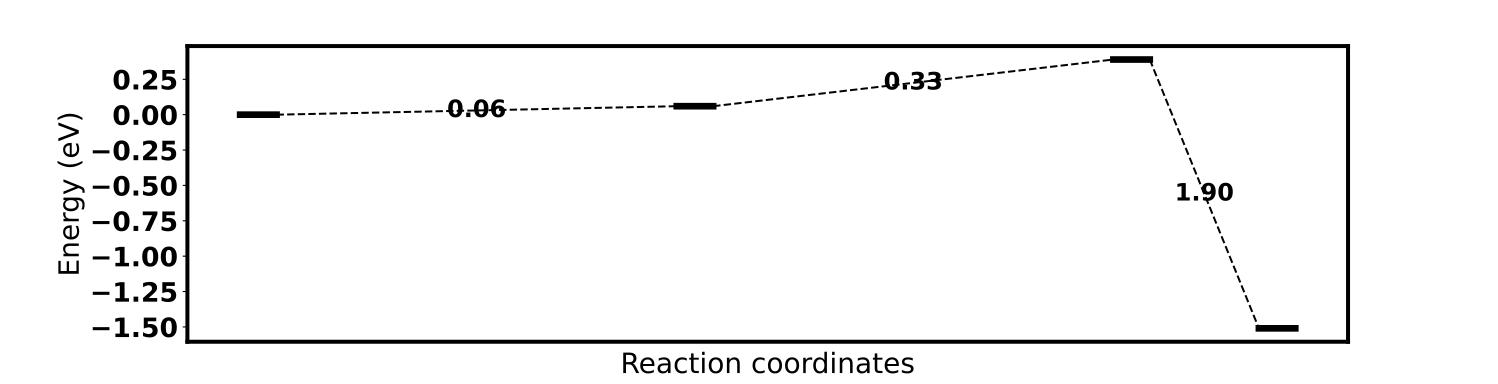
data = [0, None, None, 0.06, None, None, 0.39, -1.51]
The plot figure is like this:
The plot.json is like this:
{
  "data": [[0, null, null, 0.06, null, null, 0.39, -1.51]]
}
Important
Json file can’t recognize the None value, so we substitute the None as null.
multiple lines
If you want to compete different reaction pathway, data like below:
data = [[0, -0.09, 0.75, 0.06, 0.26, -2.46, -1.02, -1.58],
        [None, None, None, None, None, -2.46, -0.95, -1.66],
        [None, None, None, 0.06, None, None, 0.39, -1.51]]
The plot figure is like this:

The plot.json is like this:
{
    "data" : [[0, -0.09, 0.75, 0.06, 0.26, -2.46, -1.02, -1.58],
              [null, null, null, null, null, -2.46, -0.95, -1.66],
              [null, null, null, 0.06, null, null, 0.39, -1.51]],
    "text_type": null
}
And we close the text by add text_type = null.
specify legends
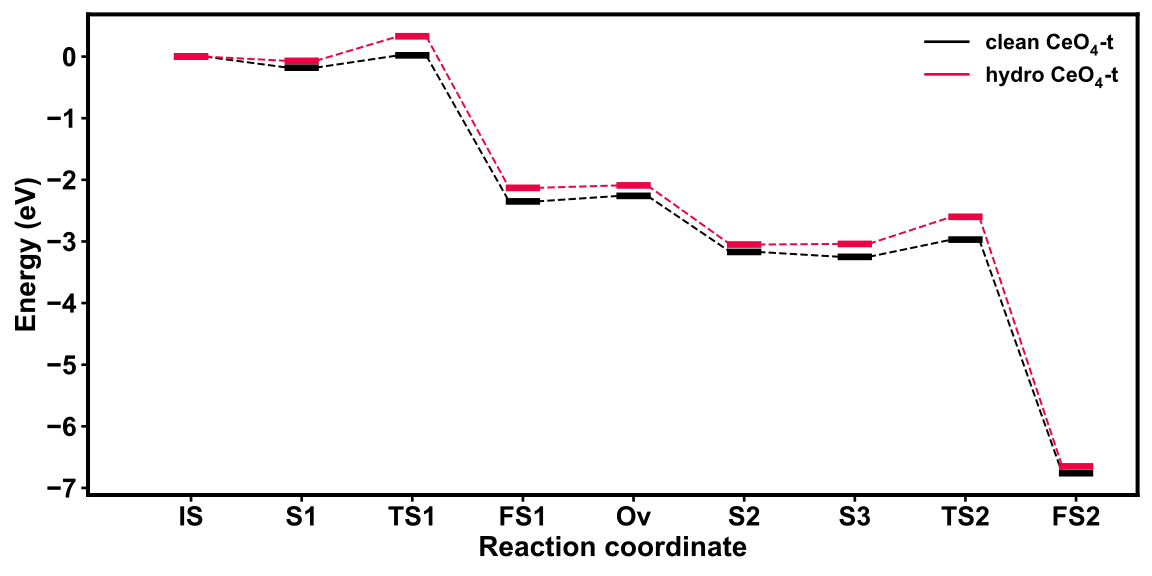
If you want to add the legends for different reaction pathways, data like below:
data = [[0, -0.18, 0.02, -2.35, -2.26, -3.17, -3.25, -2.97, -6.76],
        [0, -0.07, 0.33, -2.13, -2.09, -3.05, -3.04, -2.60, -6.65]]
The plot figure is like this:
The plot.json is like this:
{
    "data" : [[0, -0.18, 0.02, -2.35, -2.26, -3.17, -3.25, -2.97, -6.76],
              [0, -0.07, 0.33, -2.13, -2.09, -3.05, -3.04, -2.60, -6.65]],
    "text_type": null,
    "legends": [[0,0,"clean $CeO_4$-t"],
                [0,0,"hydro $CeO_4$-t"]]
}
Where the legends are described by a tri-tuple (x_position, y_position, label).
Here, you may known how to plot the PES with GVasp, of course, it can do better in the future.